One client’s report is manageable. Twenty clients’ reports, each on a different schedule, with different KPIs and different branding, is where reporting quietly becomes a full-time job for someone on your team. Here’s how agencies actually automate marketing reports for multiple clients without hiring a dedicated reporting person. The goal isn’t to automate marketing reports for multiple clients individually, it’s to build one repeatable process the whole roster runs through.
Most agencies already have the data. The bottleneck is that every client report is rebuilt slightly differently: different logo, different date range, different written summary. Agency reporting automation solves this by standardizing the process once and letting the system repeat it per client, not by making each individual report faster to build by hand. This is the core reason agencies invest time to automate marketing reports for multiple clients rather than just automating one account at a time.
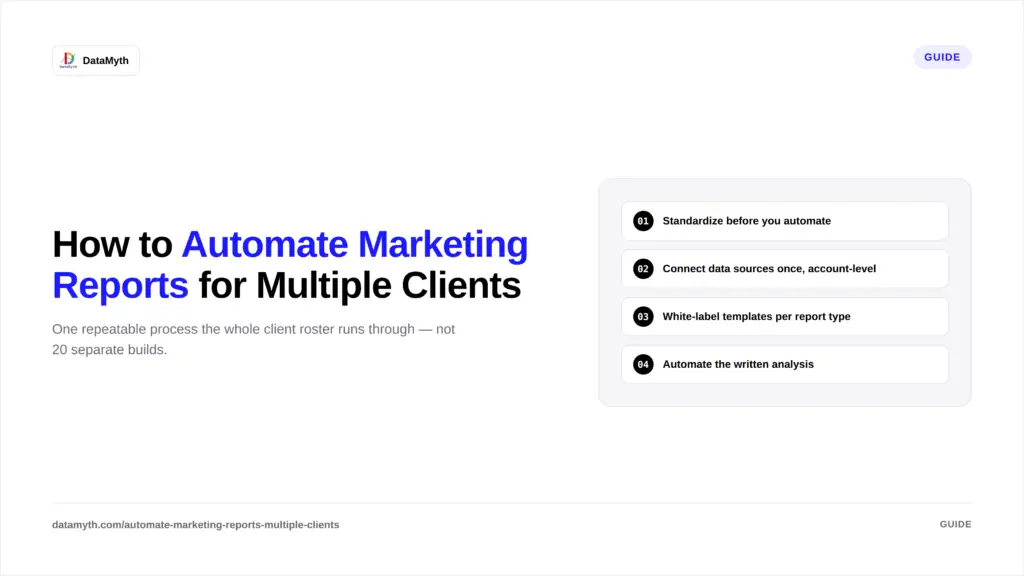
You can’t automate chaos. Group clients into a small number of report types (SEO-only, paid-media, full-funnel, e-commerce) before connecting any tools. This is the single biggest predictor of how smoothly reporting multiple clients goes at scale, and it’s the step most agencies skip when they try to automate client reporting too quickly, which is also why so many attempts to automate marketing reports for multiple clients stall out after the first month.
Rather than reconnecting platforms client by client, use a reporting tool that lets you link each client’s GA4, Google Ads, Facebook Ads, LinkedIn Ads, and Search Console accounts under one workspace, so onboarding a new client is a connection, not a rebuild.
Branding still needs to be client-specific even when the underlying report structure is shared. DataMyth’s white-label reporting tools let you apply each client’s logo automatically to a shared template, so one build serves every client in that category.
This is where manual processes break down fastest, writing individual commentary for 20+ clients every month is not sustainable. Automated marketing reports that generate the “why” behind each metric shift automatically remove this bottleneck entirely, regardless of how many accounts you’re running. This single step is usually what determines whether an agency can genuinely automate marketing reports for multiple clients or is only automating the easy half of the job.
Not every client needs their report on the same day. Stagger delivery (some clients Monday, others mid-month) so your team’s review window doesn’t collapse into a single overwhelming day. This kind of staggering only works once you’ve committed to automate marketing reports for multiple clients as a system, not as a series of one-off setups. Full setup steps are in how to schedule automated client reports.
Agencies that get these five steps right find that agency reporting automation scales almost linearly, adding the tenth client takes barely more effort than adding the second.
| Handful of Clients | Large Roster | |
|---|---|---|
| Report building | Manageable manually | Requires templated automation |
| Written analysis | One person can keep up | Bottlenecks without automation |
| Branding | Case-by-case | Needs white-label templates |
| Delivery | Ad hoc | Needs scheduled, staggered delivery |
This table alone explains why agencies that automate client reporting early avoid the operational strain that shows up once the client roster hits double digits.
Getting this structure right is what makes reporting multiple clients sustainable as the roster grows, rather than something that quietly requires another hire every time you add ten accounts.
Not sure whether it’s time to automate marketing reports for multiple clients yet? A few reliable signals: your team spends more than a day each month just assembling reports rather than analyzing them; report quality visibly varies depending on which account manager built it; new client onboarding always includes “build their report template” as a multi-hour task; or a single team member out sick delays reports for several accounts at once. Any one of these is a sign the manual process has already outgrown the team’s capacity, even if no one has said so out loud yet.
Switching an entire client roster to automated reporting at once is risky, if something’s misconfigured, it affects every account simultaneously. A safer rollout: pick one report category (say, your paid-media clients), migrate that group first, run it alongside the old manual process for one cycle to confirm accuracy, then expand to the next category. This staged approach to agency reporting automation catches template or data issues on a small group before they touch your entire client list, and it gives your team time to get comfortable reviewing automated output instead of building it from scratch.
Agencies running paid campaigns across several platforms per client add another layer of complexity. DataMyth’s paid media performance report consolidates Google Ads, LinkedIn Ads, and Facebook Ads into one view per client, which matters more, not less, as your client count grows.
Content Marketing Institute’s B2B research consistently finds that measurement and reporting are cited as one of the top operational drains for growing agencies and in-house teams alike, reinforcing why the multi-client reporting bottleneck is worth solving early rather than after it’s already causing account manager burnout. Agencies that automate client reporting at the roster level, not just per account, tend to solve this before it becomes a hiring problem.
To automate marketing reports for multiple clients successfully, standardize report types first, connect data sources at the account level, apply white-label templates per category, and automate the written analysis so agency reporting automation doesn’t collapse under its own volume as the roster grows. The agencies that scale reporting multiple clients smoothly are the ones that fix the process before adding more accounts, not after.