
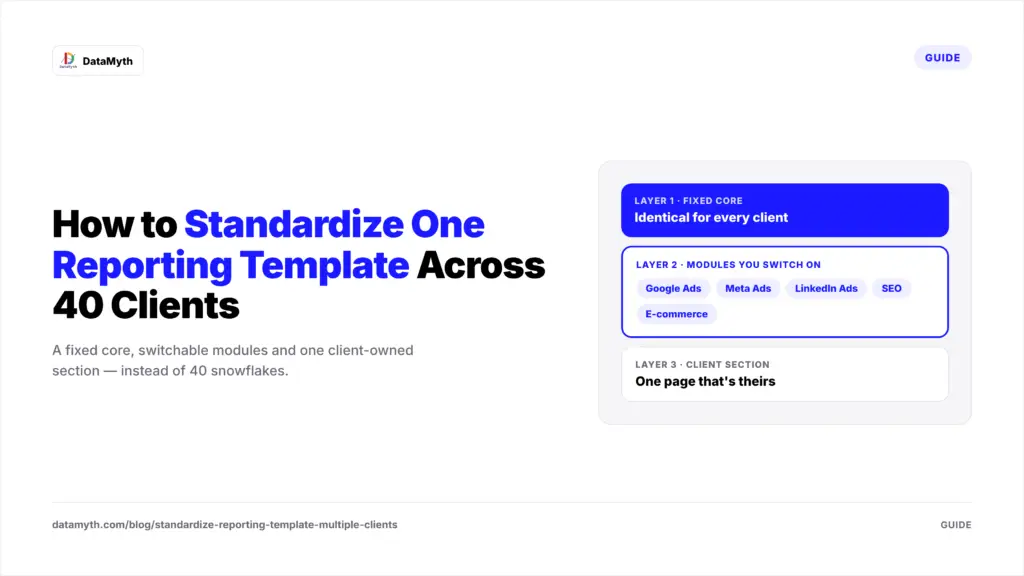
Every agency eventually hits the same paradox. Each client is unique, so each report should be unique. But you have 40 clients, so every report needs to be the same.
Most agencies resolve the paradox badly. Some force everyone into one rigid reporting template, and clients quietly conclude they are getting a generic product. Others let every account manager customize freely, and two years later the agency maintains 40 snowflakes that nobody can update, audit or hand over when someone leaves.
Manufacturing solved this exact problem decades ago with a concept called mass customization: standard parts, configured differently. Car makers don’t design a new engine for each buyer; they combine a fixed platform with optional packages. A scalable reporting template works the same way. This guide shows the three-layer architecture, the naming discipline that makes it function, and how to roll a reporting template across every client without a revolt.
The cost of customization is invisible at five clients and crushing at 40. Here’s why a shared reporting template matters.
Say each client report carries ten small customizations: a renamed metric here, an extra chart there, a different date comparison. That’s 400 unique decisions living in 40 places, with no shared reporting template to anchor them. When Meta renames a metric, or you decide to change how ROAS is calculated, you’re editing 40 reports by hand. Some get missed. Now your agency reports the same metric two different ways.
Worse, bespoke reports can’t be benchmarked against each other. You can’t tell a client “your cost per lead is in the top quartile of our B2B accounts” if every account defines leads differently. A standardized reporting template is not just an efficiency play. It’s what turns your client base into a dataset.
If you’re still building the basics, our guide on how to build a marketing report template that actually gets used covers the single-report fundamentals. This article is about what happens when you multiply it.
The solution is to stop thinking of a reporting template as one document. Think of it as three layers with different rules.
The core is identical for every client, and that sameness is the point. It typically holds five components:
The core answers the question every client asks: “Is our money working?” Nobody gets to remove it, and nobody gets to restyle it. Everything in your reporting template that is not core should earn its place.
Modules are standardized blocks that apply to some clients but not all: a Google Ads module, a Meta Ads module, a LinkedIn Ads module, an SEO module, an e-commerce module, a lead-quality module. Each module is built once, carefully, and reused everywhere it applies in the reporting template.
A client running search and SEO gets the core plus two modules. A B2B client gets the core plus LinkedIn and lead quality. The configuration differs; the parts don’t. When you improve the Meta module, every client using it improves at once. This is where the leverage of a modular reporting template lives.
Finally, give each client one page that is genuinely theirs: a custom KPI, a regional breakdown, a metric their CFO cares about. Capping customization at one section of the reporting template does two things. It satisfies the real need for tailoring, and it prevents bespoke requests from leaking into the core.
A reporting template is only as standard as the data underneath it. If one client’s campaigns are called “Brand_Search_US” and another’s are “us brand kw – new”, no template can group them consistently.
Three conventions matter most:
Channel_Objective_Audience_Geo and enforce it at launch. Retro-fitting names on live accounts is painful; doing it right at onboarding is nearly free.utm_source and utm_medium values are what make GA4 channel reporting comparable across clients. Google’s guide to building campaign URLs is the canonical reference; pick your values once and document them.Agencies often skip this layer because it feels administrative. It is actually the foundation. A beautiful reporting template on top of messy naming is a facade.
Migration is where good intentions die, and where most reporting template projects stall. A phased approach keeps it manageable.
Before touching any accounts, group your 40 clients into four or five archetypes: local lead generation, e-commerce, B2B SaaS, multi-location retail and so on. Design module combinations for each archetype. Most clients will fit one with minor tweaks.
Pick three clients from different archetypes with good relationships. Run the new reporting template alongside the old report for one cycle and ask for blunt feedback. You’ll discover the missing module or confusing chart before it embarrasses you at scale.
Move clients in batches of eight to ten per reporting cycle. Each wave teaches you something that makes the next faster. If you’re automating at the same time, our guide to automating marketing reports for multiple clients covers the connection side of the work.
Treat the reporting template like software. Give it a version number, keep a short changelog, and tell clients when something meaningful changes. “Version 2.3 adds a lead-quality page” sounds like progress. An unexplained new chart sounds like confusion.
Every agency has one, and they test every reporting template you build. They want a different color scheme, a metric nobody else uses, and the summary on page four instead of page one.
Use a simple triage for every custom request:
This framing turns “no” into “yes, here’s where it lives.” Clients rarely object to structure; they object to feeling unheard.
A reporting template decays if nobody owns it. Assign one person to review the reporting template quarterly. Remove widgets nobody reads, check that definitions still match platform changes, and fold popular client-section requests into modules.
Watch behavior, not just feedback. If clients never scroll past page two, your template is too long. If they always ask the same follow-up question, the answer belongs in the core. Pair this review with your agency KPI framework so the metrics you report stay tied to the outcomes clients pay for.
Standardization and personalization aren’t opposites. A three-layer reporting template, with a fixed core, switchable modules and one client-owned section, gives each client a report that feels tailored while your team maintains a single system. Add disciplined naming underneath and a quarterly review on top, and the template gets better with every client you add, instead of heavier.