Set rules on any paid channel. DataMyth checks every linked account daily and emails you the moment a metric moves past its limit or drops to zero, so you can act before the budget is gone.
Checked daily at 9:00 AM
Email the moment it breaches
datamyth.app / alerts
◷Next run tomorrow 9:00 AM
Rules active
5 of 5
all running
Breaching now
1
from the latest check
Last check
Today, 9:00 AM
client timezone
Spend changes by ±20% · day over day
Google Ads · Harbor & Pine
limit 20%
CPA rises by 25%+ · vs 28-day average
LinkedIn Ads · Brightline Studio
limit 25%
Spend reaches 0 · day over day
Meta Ads · Copperleaf Coffee
BREACH · $0
!
EMAIL · TO you@agency.com
Meta Ads spend reached $0 on Copperleaf Coffee.
Campaigns may be paused or billing may have failed.
◆ WHAT ALERTS CAN WATCH
2.4M reports generated this month
Reaches Zero
Spend
Clicks
Conversions
Cost per acquisition
Click-through rate
Day over day
vs 28-day average
◆ RULE BUILDER
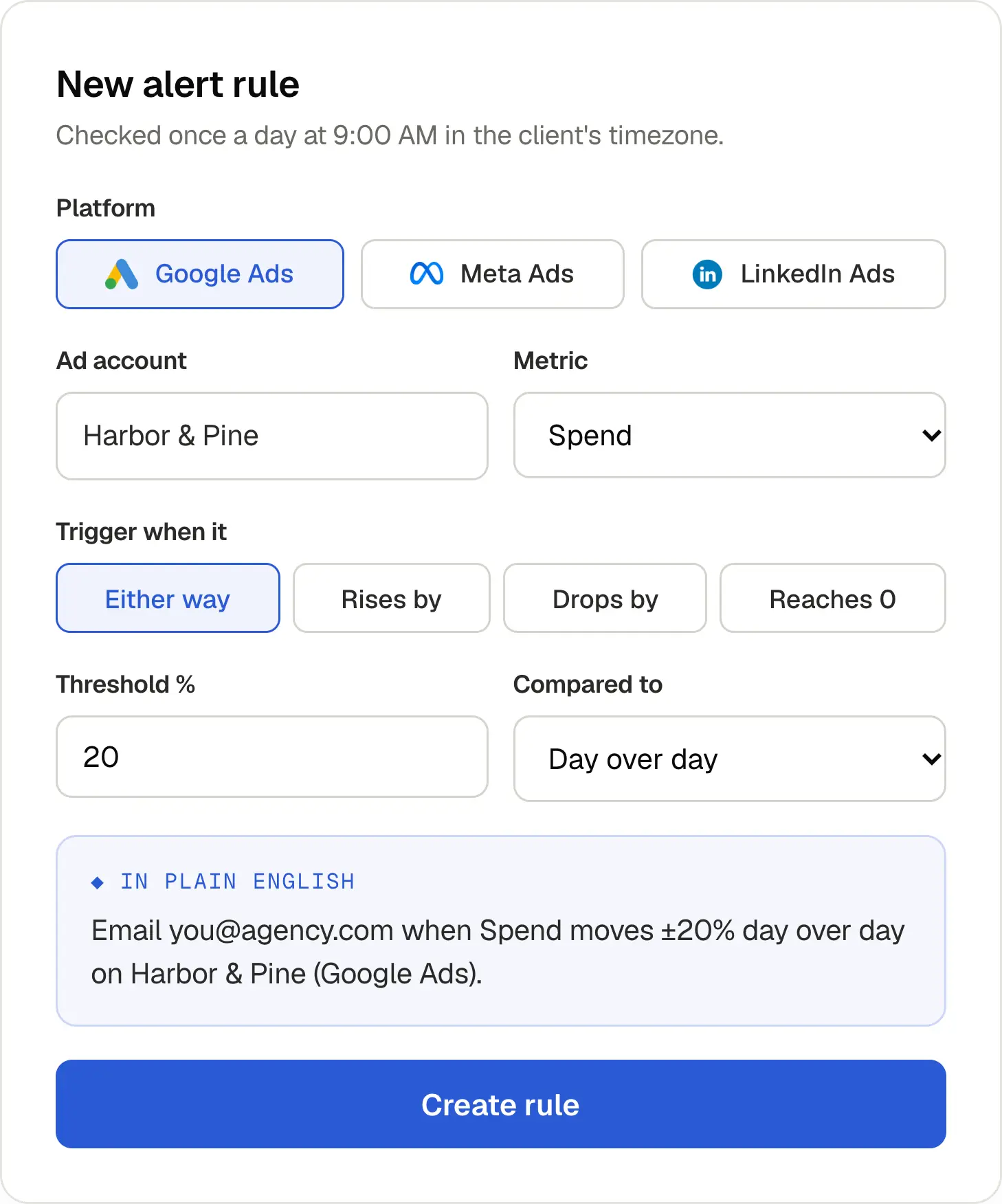
Set a rule in under a minute, read it back in plain English.
Pick the channel, the account and the metric, then decide what counts as a problem. DataMyth writes the rule out in a sentence so you know exactly when it will fire.
◆
Multiple rules per channel, each on its own metric and limit
◆
Trigger on a rise, a drop, either way, or when a metric hits zero
◆
Send a test email before the rule goes live
◆ TWO KINDS OF TRIGGER
Catch the spike and the silence.
% CHANGE
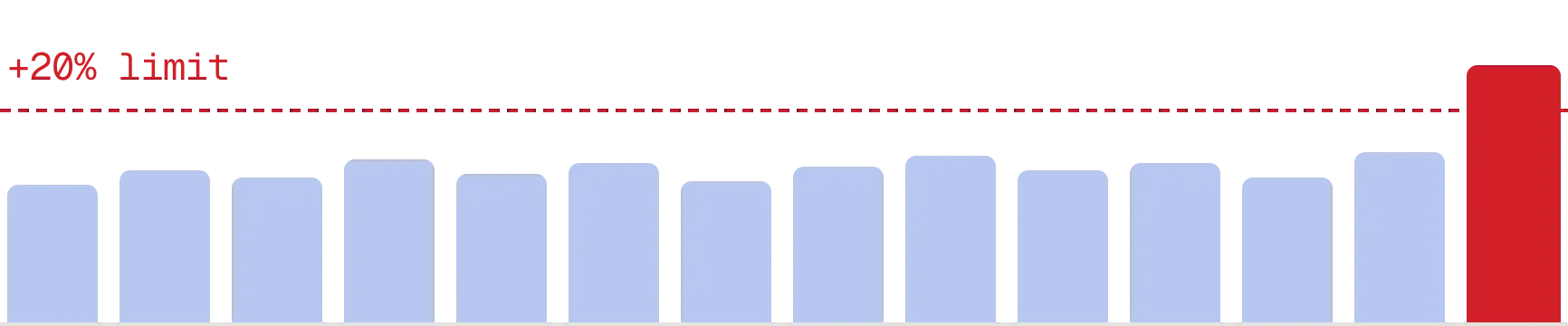
When a metric moves too far
Fire on a rise, a drop, or either way. Compare against yesterday, or against the 28-day average so a single noisy day doesn't wake you up.
REACHES ZERO
When something quietly stops
Spend, clicks or conversions hitting zero usually means a paused campaign, a failed payment or broken tracking. Find out the next morning, not at month-end.
Spend reaches 0 · Meta Ads
Breaching
Conversions reaches 0 · LinkedIn Ads
OK
◆ HOW IT WORKS
From rule to inbox in four steps.
1
Pick a channel
Google Ads, Meta Ads or LinkedIn Ads, and the ad account you want watched.
2
Choose the metric
Spend, clicks, conversions and more. Add as many rules per channel as you need.
3
Set the limit
A % change day over day or vs the 28-day average, or simply when it reaches zero.
4
Get the email
The moment a check finds a breach, the alert lands in the inbox you chose.
"I have several reporting tools but this one is great as it gives me an automated written overview and breaks down exactly what's going on. Definitely a time saver!"
Justin Herring
Freelancer
◆ MORE IN ALERTS
Built for people who manage a lot of accounts.
01
Daily checks, client timezone
Every rule runs once a day at 9:00 AM in the client’s own timezone, so alerts arrive at the start of their day.
02
Run now, or run everything
Check a single rule on demand, or run every rule at once before a client call.
03
Close-to-limit warnings
See which rules are getting near their limit before they actually breach.
04
Alert history
Every breach is logged with the date, the metric and the value, so nothing gets lost in the inbox.
05
Pause without deleting
Toggle a rule off during a planned pause or a launch, then switch it back on.
06
Every client account
Run rules across every linked ad account you manage, each with its own recipient.
◆ FAQ
Frequently asked questions
Which channels can I set alerts on?
Google Ads, Meta Ads and LinkedIn Ads. Each rule watches one linked ad account on one channel.
Can I set alerts on more than one metric?
Yes. Create as many rules as you need per channel, each with its own metric, trigger and limit.
How often are alerts checked?
Once a day at 9:00 AM in the client’s timezone. You can also run a single rule, or all of them, on demand.
What is the difference between day over day and the 28-day average?
Day over day compares against yesterday. The 28-day average compares against the typical day over the last four weeks, which filters out one-off swings.
Who receives the alert email?
Any address you set on the rule, so each client account can alert a different person.
◆ GET STARTED
Stop finding out
at month-end.
Set your first alert on Google Ads, Meta Ads or LinkedIn Ads in under a minute. Free for 7 days, no card required.